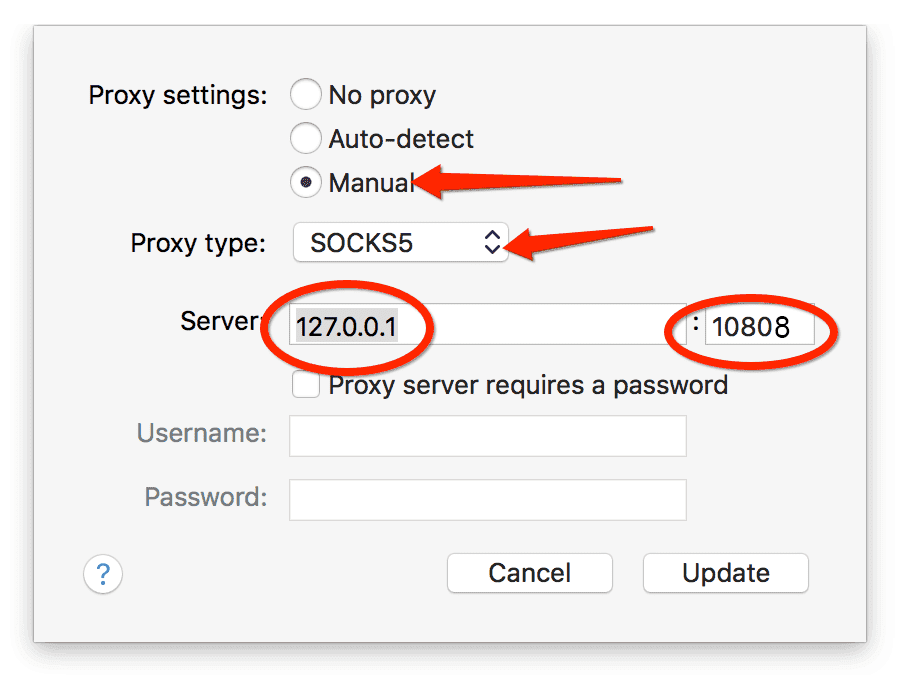
How to set up Shadowsocks for Dropbox on mac
Step 1. Make sure ShadowsocksX is configured correctly on Mac
1: if ShadowsocksX is not put under /Applications folder, please move it into that folder. Show Me2: if you are using ShadowsocksX downloaded from apple store, not from our website, make sure Socks Proxy is configured correctly. Skip this step if you are using Non-App-Store version. Show Me3: make sure ShadowsocksX is turned on. 4: make sure appropriate mode is chosen. 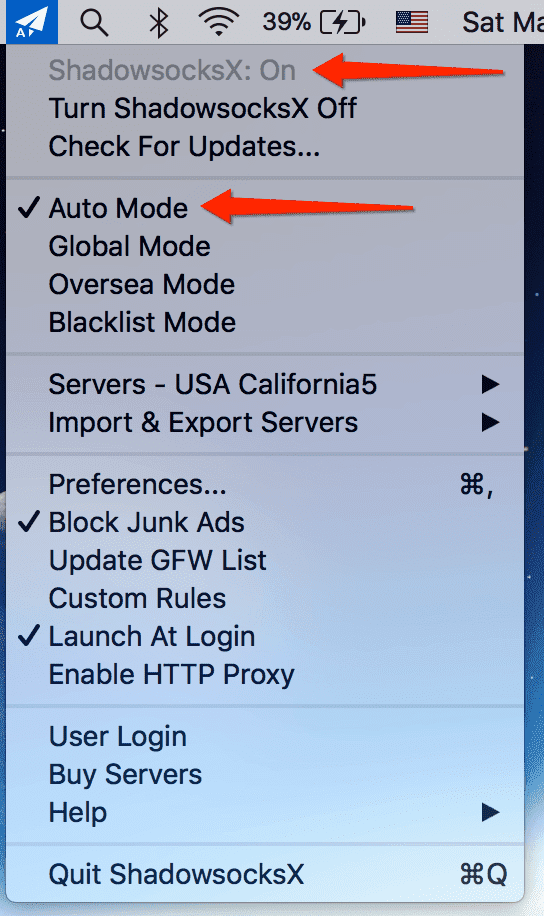
Step 2. Open Dropbox Settings